
# Prettier
- Prettier (opens new window) is a code formatter for e.g. HTML, CSS, Sass, JavaScript, ...
- If you never want to worry about code formatting again, install Prettier in PhpStorm and it will take care of all the (re)formatting for you!
- Prettier is a "must-have" in team projects to keep your codebase consistent and clean on your Git(Hub) repo
- Everyone uses the same formatting rules which results in fewer merge conflicts
WATCHING TIP
Prettier - Best Code Formatter for Javascript, React, Vue, Html, Css (opens new window)
# Install Prettier
- Add a package.json file to your project
npm init -y(in a terminal)
OR- right click on the root of your project and add a new package.json file (you can leave the default settings for now)
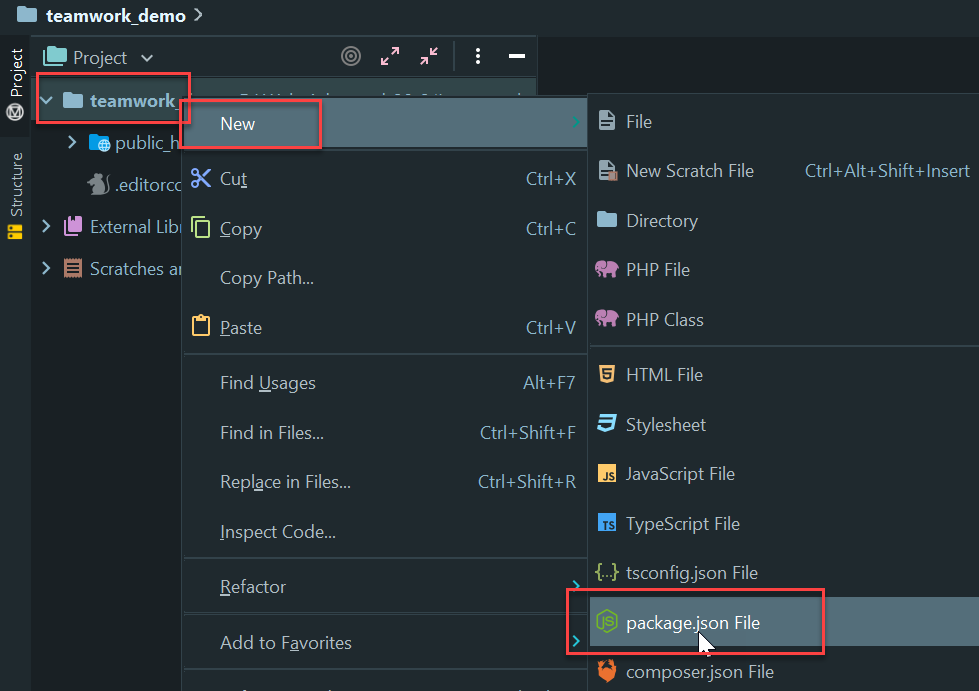
- Open a terminal (inside PhpStorm) and install prettier as a devDependency:
npm i -D prettiernpm i -D ...is a shorthand fornpm install --save-dev ...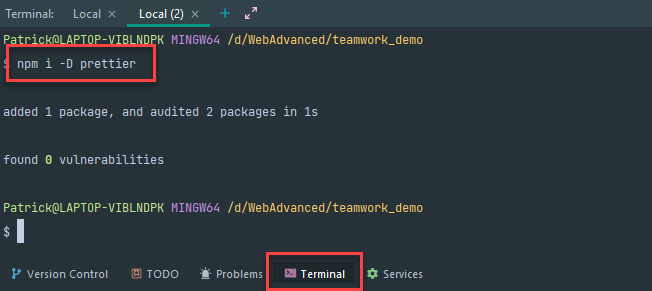
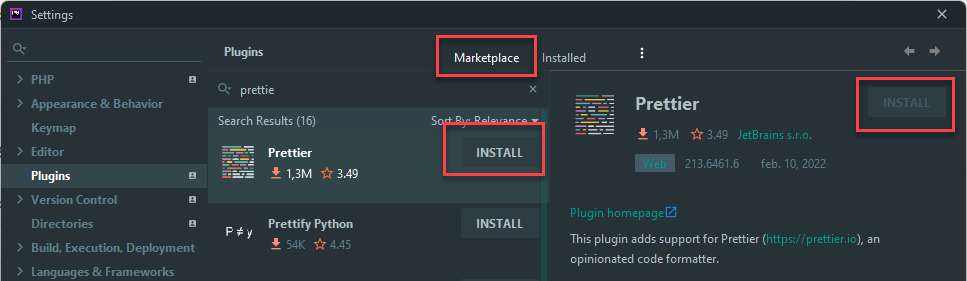
- Install the Prettier plugin for PhpStorm (opens new window)
# Enable Prettier in your project
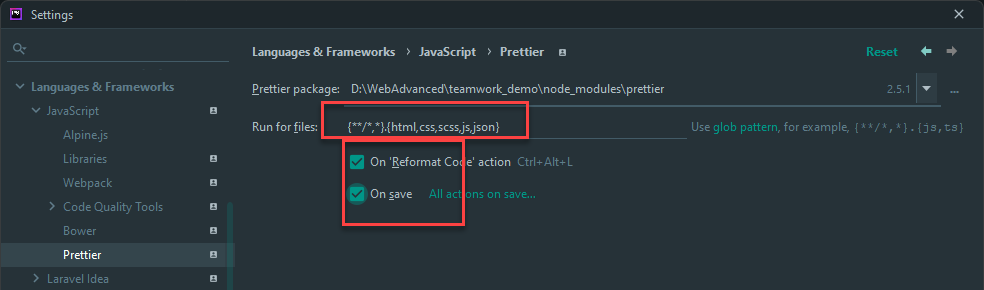
- Open File > Settings > Languages & Frameworks > JavaScript > Prettier
- Select the locally installed Prettier package
- Replace the default Run for files pattern with this one:
{**/*,*}.{html,css,scss,js,json} - Check On code reformat and On save
- Reformat all files with
CRTL + ALT + Lor save all files and compare the optimized code with the previous versions- all lines end with a semicolon
- strings with single quotes have double quotes now
# Override default formatting rules
REMARKS
- Projects you will make for this course will often come with an included .prettierrc file
- After reading the following part, you know what this file means and how to modify it
- By enabling Prettier inside your project, you follow the default formatting rules (opens new window)
- Each of these rules can be fully customized with a configuration file
- Add a .prettierrc file to the (root of the) project
- Answer 'Yes' when PhpStorm asks you to apply the Prettier rules to its Code Style settings:

- Add some custom rules to .prettierrc:
{
    "tabWidth": 4,
    "singleQuote": true
}
1
2
3
4
2
3
4
- After reformatting, the double quotes are replaced with single quotes
# EditorConfig vs Prettier
- EditorConfig and Prettier (almost) do the same: do I have to use them both? YES!
- EditorConfig also formats your code (e.g. using the correct indentation) when you are typing new code (and when you copy/paste code) and that's very handy
- Prettier on the other hand, only formats your code when asked for (
CTRL+ALT+Lor on save), but it can do things that (the default properties of) EditorConfig can't like changing double quotes to single quotes and add trailing semicolons at the end of statements
WARNING
- To avoid conflicts in spacing settings between .editorconfig and .prettierrc it's best to keep these settings the same in both files
- You can always override the settings for certain file extensions (opens new window), e.g. use two spaces for .css files and four spaces for all other files
{
      "tabWidth": 4,
      "singleQuote": true,
      "overrides": [
          {
              "files": ["*.css"],
              "options": {
                  "tabWidth": 2
              }
          }
      ]
}
1
2
3
4
5
6
7
8
9
10
11
12